


PTV App help
Forgotten myki username or password in the PTV App
You can use the PTV App to get your username, or reset your password.
You need the PTV App login screen to request a username reminder or password reset.
You can get there in many ways:
- Click on ‘For you’ then ‘Login’.
- Click on ‘myki’ then ‘Login’.
- Click on ‘More’ then ‘My account’.
You can also try finding your myki password in your password manager.
Username reminder
On the login screen:
- Tap the ‘forgot username’ button.
- Enter any myki number registered to the account. The first 6 digits are automatically shown.
- Select the date of birth for the account holder.
- Tap 'next'.
- We'll send an email with the username to the registered email address.
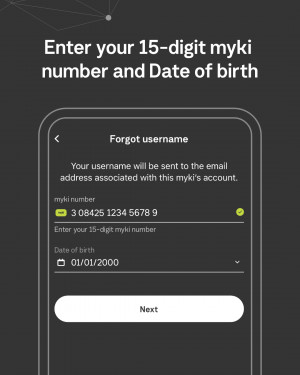 To retrieve your myki username, you need a myki number registered to that account.
Reset your password
On the login screen:
- Tap the ‘Forgot password’ button.
- On the ‘Forgot password’ screen, enter the requested details, including your username and your answers to pre-set security questions.
- Tap 'next'.
- We'll send a temporary password to the registered email address.
- Go to the 'reset password' screen and use the temporary password.
- You’ll be prompted to enter and confirm a new password.
- Tap the 'next' button.
- A confirmation screen will tell you if your password has been successfully reset.
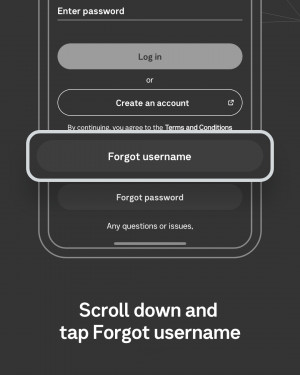 The PTV login screen allows you to reset your username and password.