

Public transport ticketing help
Find a myki outlet near you
You can use the website or PTV App to find myki outlets nearby.
Using the website
- Enter a street address (including suburb) by clicking the magnifying glass in the top-right corner of this page.
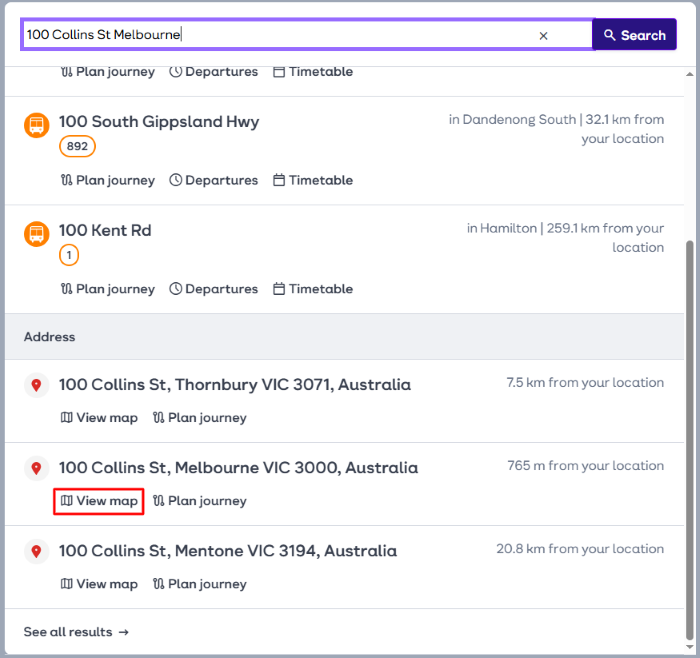
From the list that appears, scroll down to 'Address' and find your address. Click 'View map'.
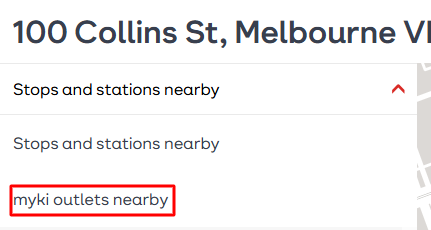
Click 'Stop and stations nearby' and switch to 'myki outlets nearby'.
Once selected the map will have grey dots marking out myki outlets:
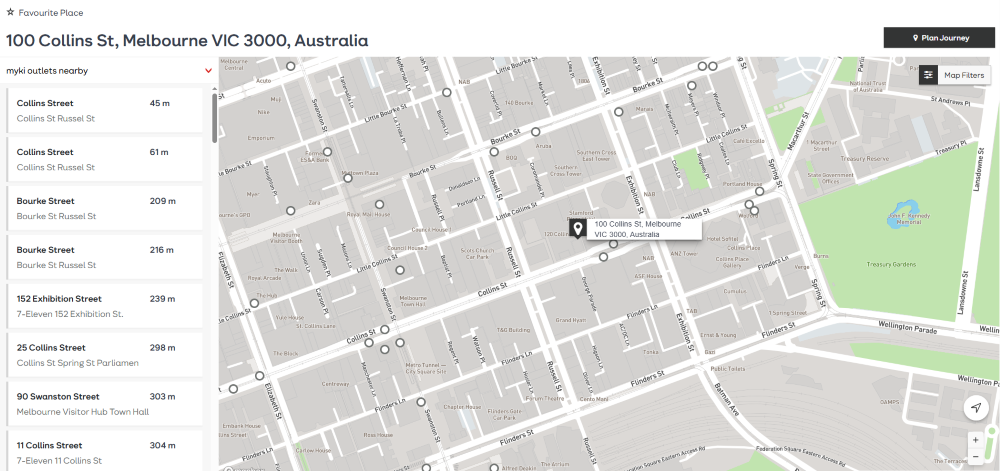
You'll also see a list of addresses on the left.
Using the PTV App
Turn on 'location settings' on your phone.
- Go to the ‘myki’ screen.
- Select ‘Find a myki outlet’.
- You can now see your closest myki retail outlet.
View more about mobile apps for public transport.