PTV App help
Use Apple Pay on the PTV App
Set up Apple Pay as a payment method for myki, including top ups or paying for myki Passes.
Pay using Apple Pay
You need to have:
- The latest version of the PTV app
- The latest version of the iOS operating system installed on your device
- A mobile data or WiFi connection
- Set up Apple Pay with a payment card registered in your Apple Wallet
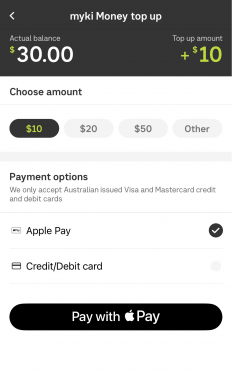
When you are on the 'myki Money top up' or 'Add myki Pass' screen, you will be able to select 'Apple Pay' as your payment option. Tap the 'Pay with Apple Pay' button to proceed.
Follow the on-screen instructions to confirm the payment.